GrantTap guide · · 8 min read
GrantTap Mesh Governance: allow, ask, and deny for local coding agents
How Project policy reaches each computer, what coverage means, and how to verify a rule before trusting it with a real Task.

Coding agents are valuable because they can read, edit, run tools, and continue work while a person is elsewhere. Those same abilities need explicit boundaries. GrantTap Mesh Governance gives a Project policy for supported local agents, with allow, ask, or deny decisions for capabilities. The policy is authored on iPhone, delivered to the computers in that Project, and reported back with enforcement coverage. It is designed to make one person's everyday coding work more legible, not to imitate an enterprise identity platform.
The first distinction is between a Project and a Task. A Project is the scope that binds repositories, computers, people, rules, and work. A Task is the stable user-visible objective; it can continue through more than one provider-native Execution. GrantTap Project Governance is decided per Project, not per Task. Separate personal approval modes can narrow later actions for an exact Task where a provider offers a deterministic local hook. Keeping the two levels separate prevents a user from believing that a temporary task choice silently rewrote the whole Project's policy.
Name the capability precisely
GrantTap's Project rules cover kinds such as skills, MCP servers, shell and scripts, file writes, deployment, and network actions. A rule can name a particular capability rather than every member of a kind. For shell work, the runtime fingerprints a command such as 'git', 'rm', or 'npm'; it can identify a deploy or network action by a more specific phrase such as 'git push' or 'curl'. This lets a Project ask about one command while allowing routine work elsewhere. A named rule wins over its kind, and a global provider deny wins over the Project.
Precision matters because a friendly label is rarely enough to review an action. An MCP server may have an endpoint and credential; a skill may run a script; a shell command may carry an irreversible target. The rule is useful only if its identity matches the action the host will evaluate. If the command changes or a server bundle is replaced, revisit the decision. The capability lifecycle guide separates discovery from request, approval, initialization, and observed use; this article focuses on how the Project policy reaches the enforcing computer.

Follow policy from phone to computer
The user writes Project policy on the phone. GrantTap sends an encrypted packet through the relay to every computer belonging to that Project. A sleeping computer may collect the packet when it returns. Each host applies the policy through the separately distributed GrantTap Engine and reports the revision it actually enforces. The phone should display that host receipt, not merely the fact that it sent a packet. If one host has an older revision, the Project is not uniformly updated, even though the editing screen on the phone looks complete.
A host can also reject an edit because its revision changed, its Engine is unavailable, or the proposed policy is invalid. The runtime reports the reason and the revision still held by the computer, allowing the phone to preserve the edit and offer a retry against current state. This is operationally important. A silent refusal would leave the user thinking a deny is active while the computer holds another rule. A stale policy revision is therefore not a cosmetic sync problem; it directly changes which actions may run.
Read coverage, not just the chosen effect
GrantTap reports coverage per capability kind as enforced, observed only, unsupported, or unknown. Enforced means a supported route reached the local decision point. Observed only means the system saw some activity but did not deterministically block that path. Unsupported means the integration does not offer that control. Unknown means the product lacks enough evidence to make a stronger statement. A rule set to deny on the phone does not turn observed-only into enforced. That would confuse intent with mechanism.
The distinction also depends on provider. Claude Code and Codex are the primary local control and continuation paths. Cursor offers Task visibility and supported local controls with narrower coverage. Grok Build can be observable where its installed runtime exposes events, but it does not thereby gain a trusted hook for all agent-authored Mesh events or remote blocking. The provider comparison gives the scope behind each name. A single Project can therefore have different effective coverage across computers and providers.
Test one rule safely
Before using Governance for a sensitive repository, create one dedicated GrantTap test Task in a disposable checkout. Configure a harmless named denial, such as a chosen shell command that cannot damage important files. Wait for the target computer to acknowledge the policy revision and show enforced coverage for that action. Then ask the supported agent to attempt it. Check for the refusal in the provider transcript and the host timeline. A denial should name the rule and reason, and the protected side effect should not have occurred.
Now try a harmless allowed action. Approval to run does not prove successful completion. Inspect the tool result and relevant repository state. Repeat after restarting the coding app, changing the policy, or updating the provider. If the denial disappears while the phone still shows it, the defect is in enforcement or status reporting. If the denial works but the phone presents a stale result, the defect is in presentation or delivery. Keeping those cases distinct accelerates debugging and prevents a status color from standing in for evidence.

Keep requests and usage separate
A configured MCP server is not necessarily usable. A Project may allow a capability that no host has initialized. A host may initialize a capability that the Task never calls. A provider transcript can report an invocation while resource use remains unknown because no unique process tree was sampled. GrantTap derives usage from native provider transcripts and local operating-system samples rather than asking an agent to write its own resource report. It labels estimates separately from provider-reported tokens and leaves ambiguous measurements unknown.
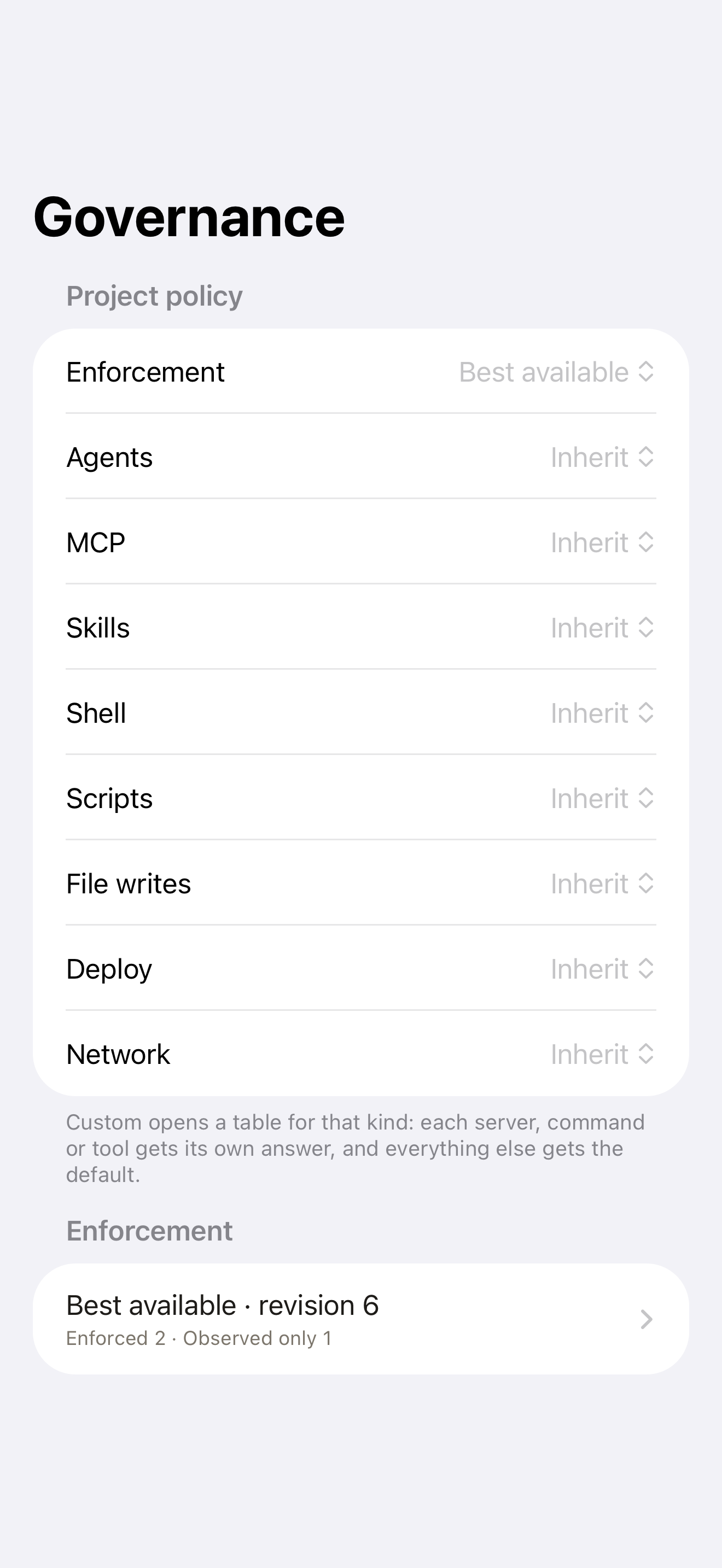
The same caution applies to code changes. The runtime can record an edit-tool request as intent and a provider-reported outcome as a call result; it does not yet claim a verified filesystem-change event from those signals alone. A screenshot of Project Governance, like the real one in this story, demonstrates an interface, not an audit of your production repository. The usage evidence article explains why action evidence, result evidence, and resource numbers need different labels.
Decide what happens when devices disconnect
The phone is a convenient place to make a human decision, but the coding action runs on a computer. When the phone is offline, a request cannot simply assume approval. When the computer is asleep, the app may hold encrypted messages without proving enforcement. When a provider route lacks a deterministic hook, a GrantTap UI toggle cannot stop the native action. Check the effective fallback and the host's last applied revision while designing a workflow. The approval boundary analysis shows how to locate the real enforcement point.
Also distinguish policy from a device link. Pairing a phone grants it a trusted connection to a computer; inviting someone into a Project Mesh grants separately scoped collaboration access. A person may have a Task view without authority over every repository or device. The owner's phone checks member and Project grants before forwarding protected Project data or actions. A linked Project or shared label does not merge permissions. This separation makes “who may see,” “who may decide,” and “what the host will run” answerable questions.
A practical governance review
For each Project, list the computers, primary providers, sensitive capabilities, and exact rule identities. Mark the selected allow, ask, or deny effect. Then record each host's policy revision and coverage. Run one allowed and one denied harmless call through each supported integration you rely on, preserving the host-side result. Where the answer is observed only or unknown, keep it visible and adjust the workflow. A phone can improve decisions only when its view stays faithful to the computers doing the work.
GrantTap's promise is therefore specific: make supported local agent work understandable and controllable where the runtime has a real hook, and make the gaps legible elsewhere. Start with the Project Mesh overview, then follow the setup guide to pair a computer and inspect a first Task. If you need a corporate tenant policy for all agents, evaluate that as a separate layer. If you need to protect one local repository today, begin with an exact capability, a host acknowledgment, and a reproducible denial.