Claude Code
 Codex
Codex Cursor
 Grok Build
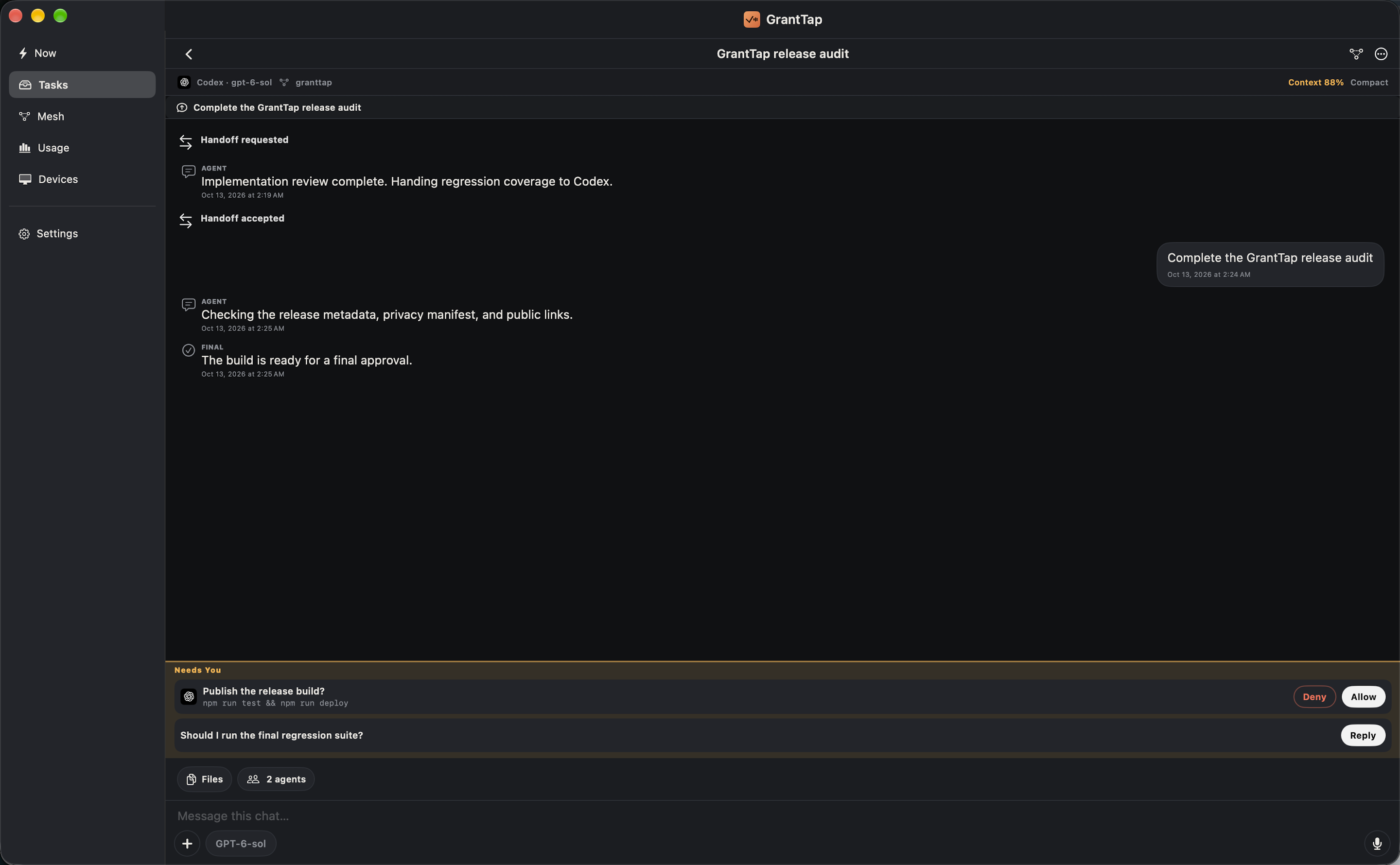
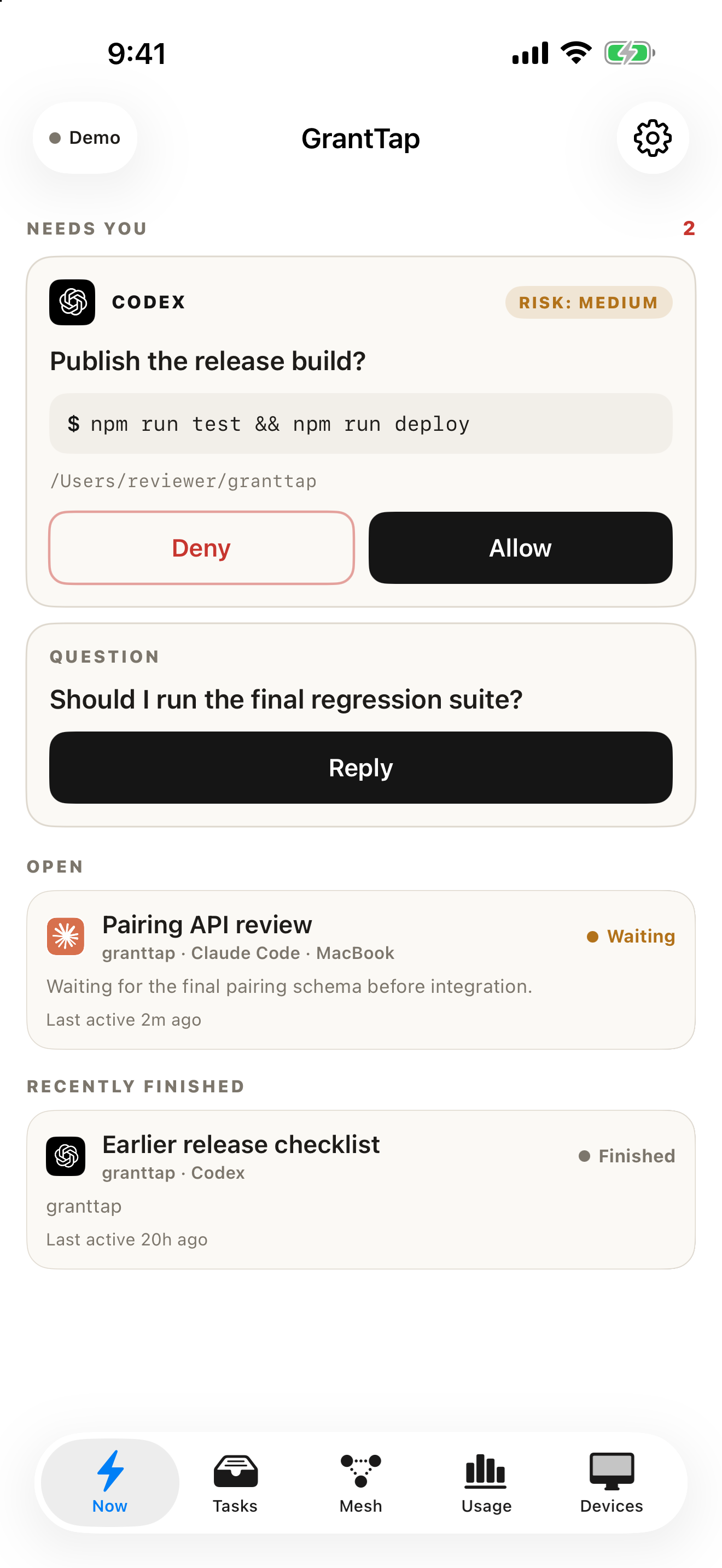
Needs You
Approvals, questions, and failed deliveries appear before everything else.
 GrantTap
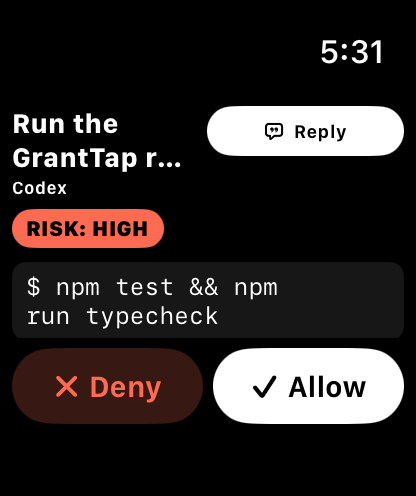
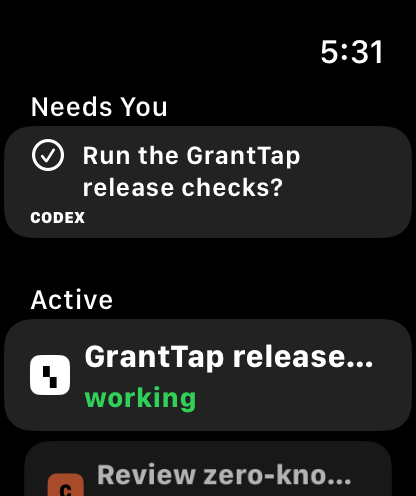
Bring tasks, history and project rules into one place. Follow supported coding agents on your computers and continue their work from Mac, iPhone and iPad. Apple Watch offers quick decisions through your paired iPhone.
Supported integrations
See · Decide · Continue
GrantTap coordinates local agents, Mesh policy, auto-accept, shared evidence, and human decisions across devices.
Approvals, questions, and failed deliveries appear before everything else.
See the agent, model, computer, workspace, and latest useful activity.
Find context pressure, observed tool failures, and actions worth taking.
Allow, ask, or deny skills, MCP servers, and shell in a Mesh. Auto-accept runs only after effective policy permits a call, and computers report enforcement coverage.

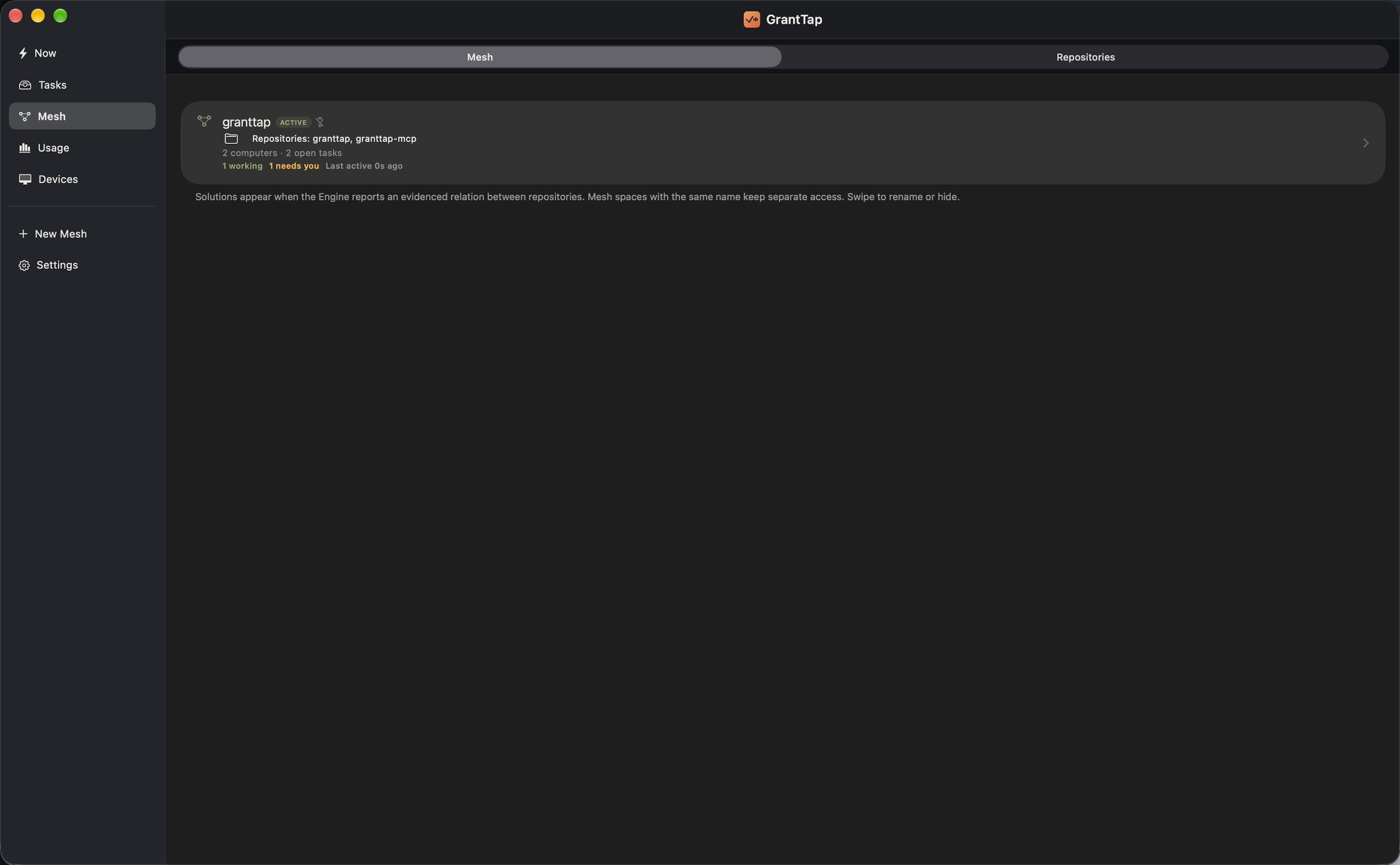
Mesh
A Mesh groups a project's repositories, people, computers, and rules. A Task keeps one goal and history even when a different agent or computer continues it. Each agent session is a separate Execution inside that Task.
Explore Mesh in detailChoose the project scope: repositories, people, computers, and access.
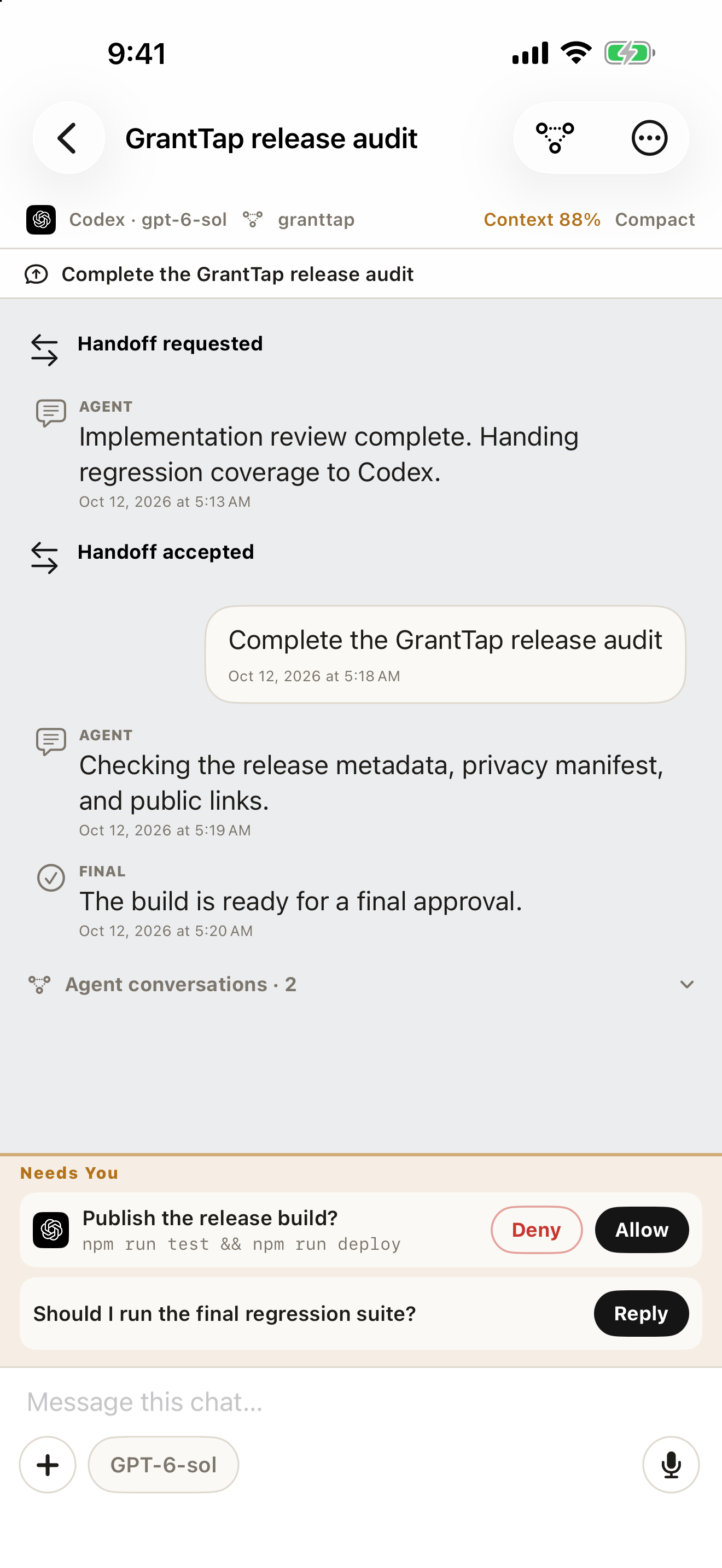
Follow one piece of work through decisions, handoffs, and results.
See which agent session did the work and what the host confirmed.
Mesh
See the agent, computer, task, branch, and current owner.
Catch blockers and overlapping resource claims before they become merge conflicts.
Technical questions stay agent-to-agent. Product, security, destructive, and unresolved conflicts reach Needs You.
How it works
Install GrantTap, connect an execution computer with GrantTap MCP, then open your Task. Use the same account passkey on linked clients; the connection guide also explains direct QR pairing.
Allow, deny, answer, or retry when the exact session asks for you.
Open the visible timeline and send the next turn with voice, photos, or files.
GrantTap on Mac
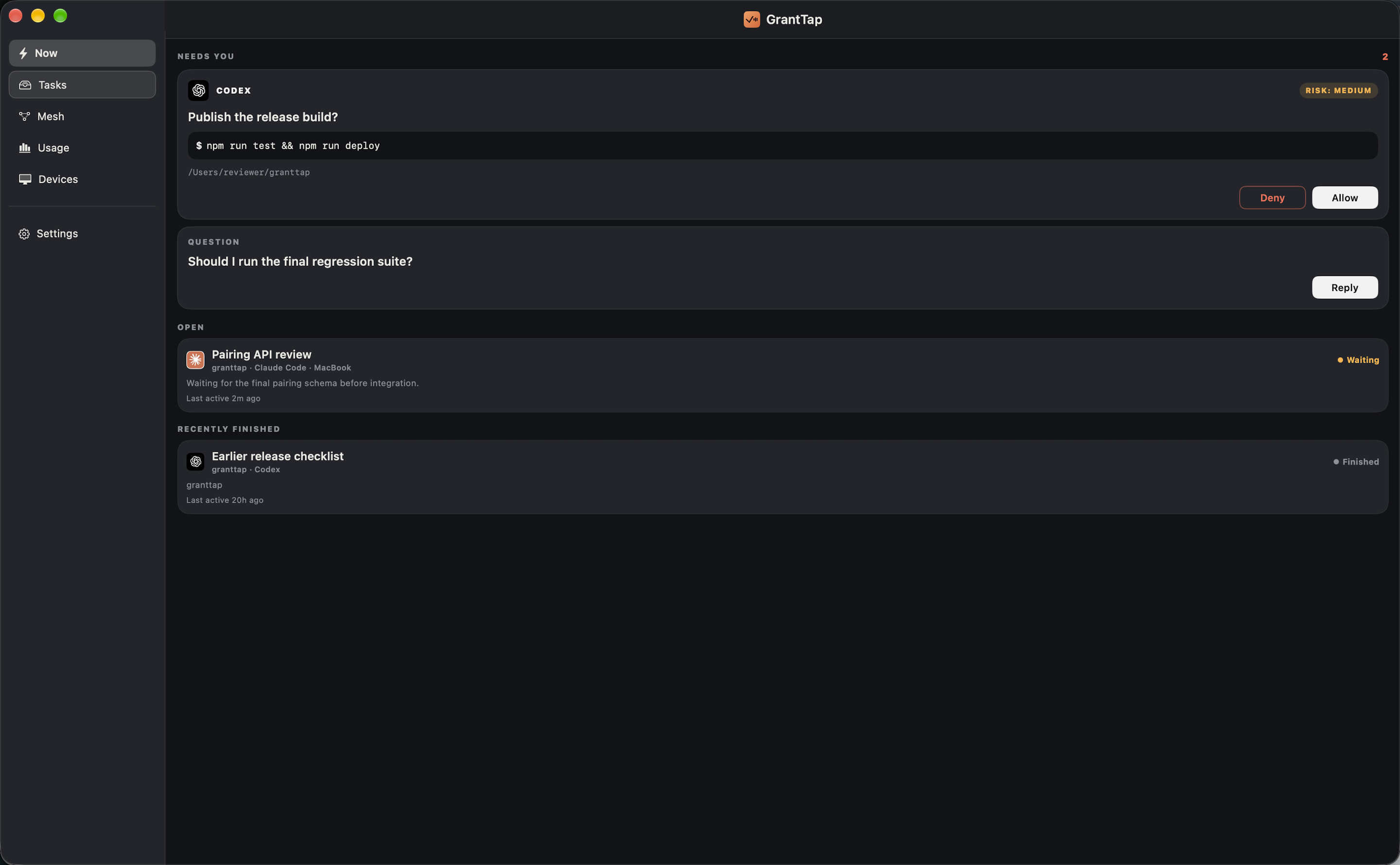
The Mac app joins the same Account Mesh as iPhone and iPad, with or without an installed helper. Devices lists linked computers by name; the separately installed helper supplies local Tasks, decisions, and usage.
 Mac app · sample data
See work that needs you alongside active and recent Tasks.
Open a Task's history and the project scope that connects its repositories, people, and computers.
Review observed usage and answer the specific approval or question that reached you.
Join your Account Mesh and see its computers without assigning every Task to the same Mac.
The real app
Actual GrantTap screens, captured with sample work so no private task data is shown.
Mesh, screen by screen
Native E2EE
Native iPhone and Apple Watch traffic is end-to-end encrypted. Pairing keys, task keys, provider credentials, prompts, commands, and replies never enter readable relay storage.
Coding agents and provider credentials stay local.
Only bounded routing metadata, ciphertext, expiry, and wake metadata are visible.
Authorized endpoints decrypt the task and keep each task key isolated.
Install
The Mac App Store app can join your Account Mesh first. Install the helper separately, add GrantTap in Codex, Claude Code, Cursor Marketplace, or Grok Build, and run granttap setup. Use the same passkey in the MCP card to link this computer, or scan its QR for direct device pairing. Passkey can also approve coding-app access. Do not add GrantTap in Cursor Customize → MCPs.
codex plugin marketplace add sergii-ziborov/granttap-mcp
codex plugin add granttap@granttapclaude plugin marketplace add sergii-ziborov/granttap-mcp
claude plugin install granttap@granttapInstall GrantTap from Cursor Marketplace
npm install -g granttap-mcp
granttap setupnpm install -g granttap-mcp
granttap setupPersonal
Personal: $4.99 per month — up to 2 computers; Personal Plus: $7.99 per month — up to 5 computers; Fleet: $13.99 per month — up to 15 computers. Mac Local: $39.99 once. Local prices and eligible trials appear in Apple’s purchase sheet.
Pricing and termsAvailability
Mac, iPhone and iPad are available by invitation. The first commercial release and its paid products are being prepared; request an invitation through Support.
GrantTap Journal