GrantTap field guide · · 15 min read
Use Graph and Health to investigate a code boundary
A practical investigation method: report identity, structural hypotheses, source inspection and a controlled integration check.

A code graph becomes useful when it changes the next question you ask. A cluster of connected components can suggest where a request crosses a boundary, which repository owns an adapter, or what deserves an integration test. The same graph can mislead when its revision is old, its scope is incomplete, or its colors are mistaken for runtime evidence. Looking at a map is an investigative step. It does not exercise the application whose shape the map describes.
Consider a hypothetical team investigating a discount that appears in the mobile interface but disappears from the final order. An agent has already explained the pricing function and reported passing unit tests. The investigation still needs to establish which client, service and persisted record participated in the failing request. This guide develops a practical method for using GrantTap Graph and Health alongside source inspection and execution evidence. The example is a workshop scenario, not a report of a measured GrantTap incident or an automated diagnosis already performed by the product.
Write a boundary question before opening the map
Start with a question that a structural report can help answer. For the discount example, ask where the order amount moves from the client representation into the service representation. That wording gives you a direction and two endpoints. Asking whether the whole project is healthy creates an impossible standard: a static map cannot establish every behavior, environment and user journey. A useful first note names the affected outcome, the suspected boundary and the observation that would change your working explanation.
Keep competing explanations visible. Perhaps the client sends an outdated field, the service ignores it, a later persistence step overwrites the amount, or the displayed result comes from a cache. These are proposed explanations, not findings. Give each a small check rather than asking the agent to rewrite all connected components. The map then helps choose a file or adapter to inspect. It does not decide in advance which explanation must win, and it should not turn a familiar architecture into a substitute for actual investigation.

Establish which report you are reading
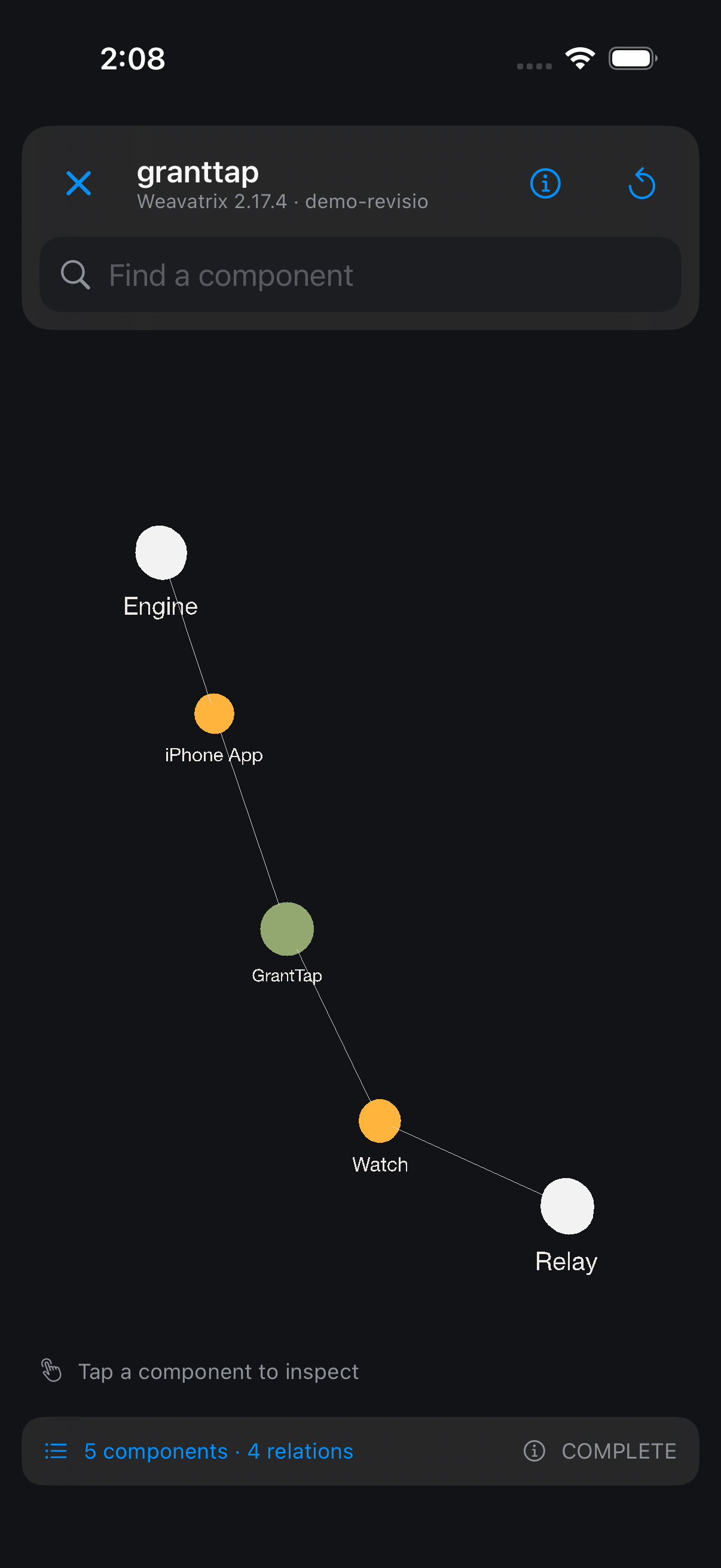
In GrantTap, open the project through Mesh and inspect the report details before interpreting its geometry. Check repository identity, revision, analyzer information and completeness where supplied. A similarly named checkout on another computer can contain different work. A report produced before an agent changed the transport adapter may remain useful as a baseline, but it cannot silently become evidence about the new adapter. The Graph and Health guide explains the product surfaces and their limits.
Record the identity in your investigation note with enough detail to find the same report later. A readable repository name helps a human navigate, while a revision or supplied content fingerprint helps distinguish snapshots. Those identifiers answer different questions, and neither should be fabricated when absent. If the source is unavailable, write that the map is unavailable. If an earlier snapshot is still displayed during refresh, call it the earlier snapshot. Preserving that distinction prevents a surprisingly common error: discussing old architecture while assuming a refresh has already completed.
Use architecture and code maps for different jobs
Architecture shows reported components and relationships. Use it to locate a client, bridge, service or shared package and to understand the direction of an available link. The code map exposes a different level of detail: files, sections, symbols and supplied measurements. Moving from architecture to a file is a narrowing operation. It should preserve the original boundary question rather than replace it with whichever large or visually prominent block happens to attract attention.
In the hypothetical discount investigation, architecture might suggest that an order request passes through a serialization adapter. The code map can help locate candidate files and symbols within the relevant repository. You still need to inspect the actual source and caller before concluding that this adapter handles the failing request. Names are clues, not execution records. Two files named order.ts in different repositories remain separate resources. Keep their paths and repository identities in the note so an agent cannot accidentally patch the client copy while describing a service change.
Treat every missing relationship as an open question
An absent link can mean several things. The analyzer might not cover a dynamic call, the report might omit a repository, or the relationship might genuinely not exist. COMPLETE describes completion within the reported scope; it does not guarantee that every possible integration has been discovered. INCOMPLETE and unavailable states deserve even more restraint. In particular, an isolated component on a diagram is not enough to announce that changing it cannot affect anything else.
When a relationship matters, inspect the mechanism that could create it. Look for the call site, configuration, request contract or data exchange in source. Record a confirmed relationship separately from one inferred by naming or architecture convention. If the system loads adapters dynamically, explain that the map may need help from configuration inspection. This small distinction makes a review more useful: another developer can see which edges were observed, which were inferred and which remain unknown, without needing to trust the investigator's visual impression of the scene.
Read color through the selected measurement
Health colors need their legend and measurement mode. A size view can emphasize a large file without saying anything about correctness. A code-check view can reflect supplied static measurements and selected thresholds. Neither view is a substitute for a failing request, a test result or a performance profile. A green region should not be described as tested unless a separate test artifact supports that claim. An unmeasured region should remain unknown instead of being counted as a zero-risk component.
Suppose the serialization adapter is small and visually unobtrusive while a large pricing module dominates the scene. The business failure may still sit in the adapter. Investigate the relationship between the symptom and code, not a ranking of colorful blocks. If a measurement suggests a useful review target, state the reason precisely: a large function may deserve attention because its branching makes inspection difficult. That is a maintainability observation. It becomes a behavioral finding only after the relevant path and result have been checked under stated conditions.
Follow one request across the suspected boundary
Once you have candidate endpoints, ask the agent to describe a single hypothetical order from input through serialization, service handling and stored result. Require the names of the actual fields and the transformations between them. A prose explanation should point to source locations that can be inspected. If the explanation skips an intermediate mapping, make that omission the next question. This produces a tractable path instead of a tour of every package in the graph.
Then exercise the boundary with an appropriate controlled test. For example, prepare a nonproduction order whose expected discount is unambiguous and inspect the representation before and after the adapter. Use fixtures without customer data. The test must establish what crossed the interface, not merely that both endpoint functions can run separately. Record the command, revision and meaningful output in the work record. GrantTap can help you navigate the relevant Task and files, but the concrete integration test remains work that your chosen tools and environment must actually perform.
Preserve the difference between analysis and execution
A map can suggest that the client depends on a pricing package. A transcript can show that an agent requested a test. A tool result can report an exit code. A separately observed request can demonstrate a particular field value. These are different evidence types, even when they appear close together in the same investigation. Keep the strongest conclusion aligned with the strongest observation available. The Runtime and evidence guide describes this distinction in GrantTap.
For the workshop example, the responsible wording might be that source inspection found a mapping that omits the discount field, while the integration reproduction has not yet run. After a controlled request reproduces the omission, the finding becomes stronger and more specific. Do not retroactively label earlier guesses as confirmed. That discipline matters when a different agent continues the Task: it can spend its effort on the remaining check instead of treating an attractive architectural explanation as a settled cause.
Keep refresh separate from successful analysis
Refreshing a catalog, requesting a report and receiving a matching analysis are separate events. If the computer is offline or the analyzer cannot access a checkout, the absence of a new result should remain visible. Repeatedly tapping refresh does not make an old report current. In a remote workflow, inspect the request state and report identity before assuming the map has incorporated a change made seconds earlier. An explicit delay is easier to reason about than an unexplained visual replacement.
A saved report can remain valuable while offline. Use it to prepare questions or review the earlier structure, and mark any conclusions that depend on current code as pending. When the computer reconnects, compare the received report with the intended repository and revision. If the working tree changed again during analysis, clarify the scope rather than quietly merging interpretations from multiple moments. This is especially helpful during a handoff, when the destination may be inspecting a different checkout from the computer that supplied the older map.

Turn a graph observation into a bounded agent request
A useful agent request names the boundary, the evidence and the limit of the next action. For example: inspect the order serialization adapter in the specified repository, explain how the discount field is encoded, and propose the smallest reproduction before editing. Include the report revision as context, while allowing the agent to check the actual working tree. This gives the map an operational role without pretending that its structure authorizes a broad refactor or a production action.
After the explanation, request a narrowly scoped change and a test that crosses the identified boundary. Ask the agent to report any related callers it inspected and any remaining uncertainty. Avoid a request to fix all red components: that delegates prioritization to a display mode and expands the change without a verified connection to the failure. In GrantTap, use the relevant Task execution and inspect available Files and results. A request to investigate and a request to publish are different permissions; preserve the actual scope of the work.
Compare snapshots without inventing a runtime improvement
A later map may show a new adapter, a removed dependency or a smaller component. That can support a structural description of the change if the reports are comparable. It does not prove faster checkout, lower memory use or fewer user errors. Those outcomes need measurements designed for the claim. Comparing diagrams from different analyzer versions, coverage settings or repository sets can also create apparent differences unrelated to the code change you meant to assess.
Write down what stayed comparable and what changed. If only one repository was reanalyzed, explain that the combined project view contains reports from different moments. If the analyzer changed, inspect the source-level modification before attributing a new edge to a new dependency. A concise before-and-after note can say that the adapter now carries a named field and that a specified integration test passes. It should not say the architecture is globally healthier merely because the second picture contains fewer orange blocks or a more balanced arrangement.
Use negative findings carefully
A focused investigation sometimes rules out a candidate rather than finding the cause. If the adapter forwards the field correctly in the controlled case, record that result with its conditions. It narrows the search toward later handling or a different input. It does not prove that the adapter handles every possible payload. A negative finding is most useful when another developer can reproduce the check and see exactly which explanation it weakens, without assuming a universal guarantee.
Avoid measuring investigation quality by the number of components the agent edits. Finding that the client is correct and leaving it untouched can be the right result. Update the next question accordingly: perhaps inspect persistence or cache invalidation with the same fixture. Retain the earlier test so the new investigation does not reopen a settled narrow point without reason. This produces a sequence of evidence-backed exclusions, which is much easier to continue from a phone than a long chat full of mutually inconsistent theories and unexplained patches.
Keep the investigation scope transferable
An investigation becomes difficult to continue when the only surviving artifact is a screenshot and a sentence saying the graph looks fine. Prepare a short continuation note that names the open question, the report used and the last meaningful observation. If the next agent works on another computer, have it establish the corresponding checkout before using that note as current evidence. The note carries the reasoning forward; it does not make every environment identical or guarantee that an old report still matches the new working tree.
For the discount example, the continuation might state that client serialization was checked with a synthetic order, persistence remains untested and the next useful observation is the service's stored representation. This is more actionable than asking the next agent to continue the analysis. It also protects useful negative findings from disappearing during summarization. Keep the underlying fixture and result available so the next investigator can repeat the relevant check if the source or environment has changed in a way that affects its conclusion.
A small evidence packet should also name the stopping condition. If the service cannot be reached, finish the source analysis and prepare the pending test rather than claiming the whole investigation is verified. When access returns, run the specific missing check. That creates an orderly boundary between work completed now and work that depends on another source, while allowing the rest of the authorized investigation to proceed. The result remains useful even before every possible question about the system has been answered.
Finish with a small evidence packet
Close the investigation with the original symptom, affected repository and revision, the selected report, the actual source path, the reproduction result and the resulting change. Include unresolved conditions explicitly. For the discount workshop, that could mean the adapter omission was reproduced in a fixture, corrected and checked across the client-service boundary, while production deployment remains outside the exercise. The packet should let a reviewer understand the conclusion without replaying every graph interaction or reading every exploratory message in the chat.
Keep screenshots only when they explain the selected scope or an important relationship. A screenshot of a large graph without its report identity is weak evidence and difficult to use on a small display. Link the corresponding files or records where available. Review the packet for private paths and data before sharing it. GrantTap's Graph and Health chapter remains the current interface reference; this article supplies an investigation method, not a promise that the application independently proves every relationship or performs the described tests for you.
A repeatable working session
For your next cross-component bug, reserve the first part of the session for scope and evidence rather than editing. Identify the user-visible failure, open the correct report, choose one boundary and inspect the source that implements it. Have the agent prepare a controlled reproduction with a clear expected observation. Only then decide whether a code change is justified. This sequence can feel slower than immediately modifying a suspicious file, but it reduces the number of unrelated changes that later need explanation or reversal.
At the end, ask whether the map helped select the next check and whether the check actually changed your conclusion. If the answer to either question is unclear, simplify the note and the next request. The useful artifact is a defensible explanation tied to the right code and a meaningful test. Graph navigation, Health measurements, transcript history and runtime results each contribute a different piece. Keeping those pieces distinct makes the investigation understandable across devices, between agents and after the original investigator has stopped working on the Task.