GrantTap field guide · · 15 min read
Upgrade a dependency with an agent and keep the project reproducible
From the reason for an update through lockfile review, clean installation, application checks and a verified rollback baseline.

An agent can update a dependency in seconds and still leave the project harder to reproduce. The visible change might be one version in a manifest, while the real change includes a lockfile, transitive packages, installation scripts, generated code and an assumption about the runtime used on the computer. A passing command from an old dependency directory does not establish that a fresh checkout will work. The useful unit of review is the complete, reproducible upgrade, with a reason and a way back.
Imagine a small web project whose agent proposes upgrading a request-validation library. The goal is to remove a specific compatibility problem without changing application behavior. This guide follows that hypothetical upgrade from selection through review and release preparation. It uses npm as a concrete example where relevant, but does not prescribe npm for every repository. GrantTap helps supervise the Task, the chosen computer and the available results from a phone. It does not replace the package manager, verify every downloaded package independently or turn a source change into a published release.
Explain why this dependency should change now
Start with the trigger. A bug affecting your application, a supported-runtime change, a maintenance requirement and a vulnerability report lead to different acceptance checks. Write the concrete reason rather than instructing the agent to update everything. For the workshop, the old validation library rejects a documented input shape needed by the application. The new version must accept that shape while preserving the application's existing error contract. That makes a useful task boundary and a testable outcome, without pretending that the newest available version is automatically the right choice.
Ask the agent to separate verified facts from proposed benefits. If it cites a release note, open the upstream source and check the relevant version. If a security advisory is the trigger, confirm the affected package, version range and applicability to your usage; do not turn a generic scan count into a claim that your production system was exploited. Keep the task focused on the actual reason. Broader package maintenance can become a separate change with its own compatibility work rather than hitchhiking on a narrowly scoped fix.

Identify the package manager and runtime actually used
Inspect the repository's manifest, lockfile, documented runtime and continuous-integration configuration. A developer's shell and the CI runner can invoke different runtime versions or package-manager settings. Record the versions used for the upgrade and for its verification. In a multi-repository Mesh, do this for the repository being changed rather than borrowing assumptions from a neighboring service. A similarly named task on another computer is not evidence about this environment. The workspace guide explains the distinction between project context and the concrete working location.
Avoid installing several managers until one command happens to pass. If the repository uses npm with a committed package-lock.json, preserve that workflow for the exercise. If it uses another manager, follow that manager's documented lockfile behavior instead of introducing a second lockfile. An unexpected new lockfile deserves explanation because it can change how teammates and CI resolve dependencies. The agent should report the exact tool it invoked, the directory it used and any project-specific configuration that influenced installation. Those details often explain discrepancies more directly than another broad source-code patch.
Read the upstream change before editing
Review the release notes and migration documentation for the selected version. Focus on the APIs the project actually calls, changed defaults, runtime support and removal of deprecated behavior. Have the agent point to the relevant source locations in your project. A migration guide describing a new parser option does not imply your application uses that option. Conversely, a short manifest diff can conceal a breaking default in a deeply used dependency. The investigation should connect upstream changes to concrete call sites before attempting a sweeping rewrite.
For the validation-library example, inspect where requests are parsed and where errors are translated for clients. The upgrade may accept the new input while changing the structure of validation errors. Preserve the existing public contract unless changing that contract is part of the task. Ask the agent to identify which assumptions are covered by tests and which require a new check. This turns release-note reading into a practical compatibility plan rather than a summary of upstream announcements that nobody has connected to the actual application.
Separate selection from reproducible installation
The deliberate update step selects the new dependency graph and writes the appropriate manifest and lockfile changes. A later clean installation checks whether that recorded graph can be installed under the stated conditions. In npm, npm ci requires a lockfile and rejects a mismatch with the manifest rather than updating the lock to fit. It also removes an existing node_modules before installation. Use that command in an isolated verification checkout where removing that directory is expected.
Do not run a clean-install command casually in a shared directory containing another agent's active work. Prepare a dedicated checkout or equivalent isolated environment and retain the source revision being tested. Project settings that affect dependency resolution must remain consistent with the recorded lockfile. A successful clean install establishes that specific installation under those conditions. It does not prove that every dependency is trustworthy, that installation scripts had no side effects or that the application behaves correctly. Keep each conclusion attached to the check that supports it.
Inspect the lockfile as part of the change
Ask why each unexpected transitive change occurred. Some changes are an ordinary consequence of the selected version; others can indicate that the update command refreshed a much larger graph than intended. Large lockfiles are difficult to read line by line on a phone, so have the agent summarize the changed package paths and explain the broadest movements. Preserve the actual file for review. A summary should help the reviewer navigate the diff, not replace it with a blanket assurance that the package manager handled everything.
Check whether the manifest range and locked version express the intended maintenance policy. The project may deliberately use a range while committing an exact resolved graph. Do not confuse those two roles. Review changes to registry URLs and configuration alongside package versions, particularly in a private-package environment. If the lockfile was regenerated by a different manager version, explain the formatting or metadata churn separately. A focused update is easier to evaluate when incidental noise is removed or clearly justified instead of being hidden inside a very large generated diff.
Treat installation behavior as part of the environment
Dependencies may require installation-time behavior or platform-specific components. Before changing installation settings, determine what the repository expects and why. Disabling scripts can be appropriate for an initial inspection in a controlled environment, but it can also produce an incomplete install for packages that need those scripts. Conversely, enabling scripts is an execution decision. The agent should not silently change this behavior to get a green result or imply that a no-script inspection verified the ordinary production installation path.
For the workshop, keep the test environment free of production credentials and use only the access needed to fetch the relevant packages. If a private registry requires authentication, configure that outside committed source and avoid printing the token in command output. GrantTap can expose the supported request and policy flow, but external package installation still follows the computer's permissions and package-manager configuration. The meaningful report names the installation mode, the environment and any skipped behavior so a reviewer understands what has and has not been exercised.
Start with the failing application behavior
Create or identify a test that demonstrates the reason for the upgrade. In the example, submit the previously rejected input and inspect the application's response, not merely the dependency's isolated parser. The expected result includes acceptance of the intended shape and preservation of the error contract for invalid input. Keep fixture data small and representative. If the old version does not fail under the proposed reproduction, stop and clarify the trigger before attributing a successful new run to the upgrade.
Then run the same behavior against the updated dependency graph. Record the revision, command and meaningful outcome. A test that only asserts the dependency version number does not verify the compatibility goal. An application-level test should detect the original problem even if the agent implemented a workaround somewhere else. This is how the review stays connected to user value: the dependency change is justified by a demonstrated difference in the relevant behavior, rather than the aesthetic appeal of removing an outdated number from the manifest.
Check adjacent contracts rather than every possible feature
A dependency upgrade can affect nearby behavior even when the original reproduction passes. Choose adjacent checks based on actual use. For a validation library, that might include missing fields, malformed input, nested errors and serialization of the error response. For a build tool, the right checks might involve assets, source maps and production output. Explain the selection so a reviewer can judge whether it covers the likely impact. A giant undirected test run can be less informative than a smaller set tied to known interfaces.
Run the repository's required broader checks once the focused behavior passes. Keep environment failures separate from application failures: an unavailable test database or missing SDK does not prove the upgrade is broken, but it also does not permit claiming the affected checks passed. Report the limitation and its practical consequence. In GrantTap, a recorded tool result can help preserve what the agent observed; independently inspect the final code and available artifacts before treating the overall task as complete. The evidence guide explains why a command's success is narrower than a product outcome.

Verify generated artifacts from the recorded inputs
Some upgrades alter generated types, clients, bundles or schemas. Identify which generated files belong in version control and which are build output. Have the agent regenerate them using the documented command under the recorded toolchain, then inspect the resulting diff. If a generated file is edited by hand, the next regeneration may erase the fix. The task should explain whether a generator input changed or a generated artifact changed because the upstream tool now emits a different representation.
Build the application from the clean installation when that is part of the repository's release path. A local development server using old cached modules can hide a missing dependency or stale artifact. Compare the output against the behavior you intend to ship, including relevant assets and startup assumptions. This remains a controlled build check, not proof that production already serves the new artifact. Retain the build identity or checksum where your release workflow supplies it so a later deployment can be tied back to the verified source and dependency graph.
Keep concurrent work from changing the experiment
Assign the dependency update to one owner and one isolated working tree where possible. If another agent changes the manifest, lockfile or shared configuration during installation, the result may no longer describe a single coherent revision. Stop and reconcile the source state before continuing. File ownership claims can coordinate intent, but they do not physically prevent another process from writing the same file. The practical safeguard is a clear working location and a reviewable checkpoint before verification begins.
When supervising through GrantTap, check the current execution and computer before asking for another install or build. A handoff can move the conversation to a different environment with a different dependency cache. That destination should verify the recorded inputs rather than assume the source computer's successful install applies there. Keep uncommitted work explicit during a transfer. A dependency graph reproduced on two computers is stronger evidence than an agent saying the handoff worked, but only if both runs actually used the intended revision and configuration.
Review the update from a phone without approving a mystery
The final summary should fit a mobile review: why the package changed, which direct version was selected, how much of the transitive graph moved, what application checks passed and what remains unverified. Link or identify the manifest and lockfile diff. If the change includes registry configuration or installation scripts, call that out because those changes affect execution and access. A reviewer should not need to infer them from a generic message saying dependencies are current and all checks look good.
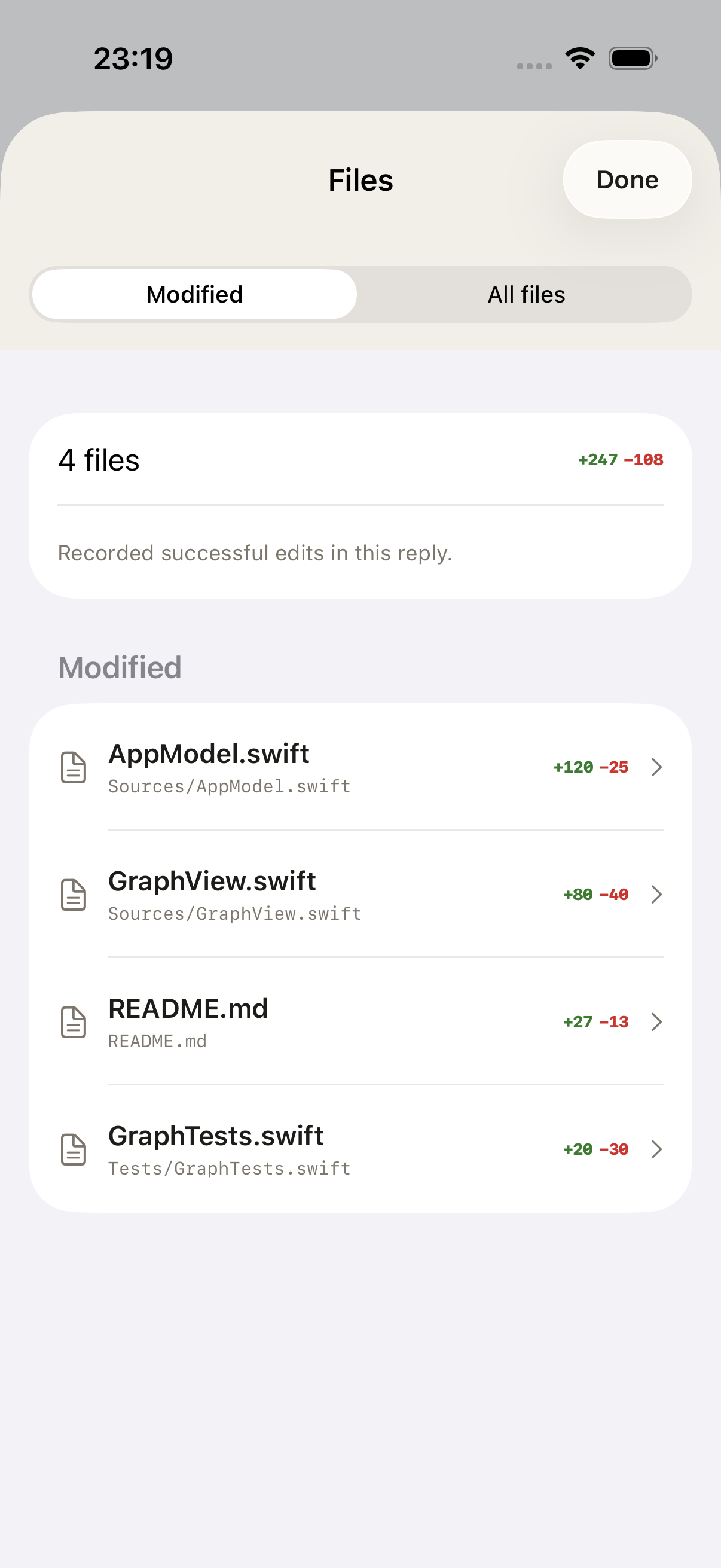
Use the available Files view for the relevant Task and distinguish its selected scope from an entire workspace tree. If a generated diff is too large to assess on a phone, review the focused summary and postpone the decision that needs a larger display. Remote supervision works best when the agent prepares a concrete result and the user can evaluate the important choices. It should not depend on repeated approval of vague maintenance operations or on a green status whose relationship to the actual lockfile is unclear.
Plan rollback at the level of real effects
For a source-only dependency change, the previous commit and lockfile can provide a clear rollback baseline. A deployed change may also affect caches, generated assets or persistent data. Determine whether any migration is involved before treating a source revert as a complete recovery plan. In the workshop, no schema migration is required, so the rollback can focus on the previous verified build and its dependency graph. State that condition explicitly rather than generalizing it to upgrades with irreversible effects.
Keep the older release artifact until the new one is verified under the normal release process. A rollback plan should name the serving target and the check that establishes recovery. It should not tell the agent to reinstall whatever version seems familiar from a long chat. If reverting requires configuration changes, record those alongside the artifact identity. GrantTap can help preserve the Task and execution context, but the release system must perform and verify the actual rollback; a conversational instruction is not itself evidence that users are back on the intended version.
Preserve the reason when the update is deferred
Sometimes the correct outcome is to postpone an upgrade after finding a compatibility gap. Keep the reason and the smallest failing fixture rather than discarding the investigation. Record the selected candidate version, the relevant upstream change and the application contract that it breaks. That turns a deferred update into useful maintenance knowledge. It also prevents another agent from repeating the same unsuccessful upgrade later because the only visible record says that the dependency is still old.
A deferral should have a concrete condition for reconsideration. The project might need an adapter change, a runtime upgrade or a replacement for an API that the dependency removed. Prepare that bounded follow-up and explain which parts of the original work remain valid. Do not leave a half-updated lockfile in the main working tree while calling the task postponed. Return the project to a coherent recorded state, retain the candidate in its isolated branch if useful and make the remaining decision understandable to the next maintainer.
Close with a maintenance decision, not a version celebration
The completed work record should explain the trigger, the selected version, the recorded environment, the relevant diff, the clean-install outcome and the application behavior checked. Include any skipped platform or environment and the reason. If deployment was outside scope, say that the upgrade is prepared and verified locally rather than published. If it was deployed, connect the serving check to the tested artifact. This makes the result useful to the next maintainer, who may need to understand the upgrade months after the original conversation.
For the next dependency, repeat the method without automatically expanding the scope. Some upgrades deserve a separate branch because they change a different public contract or require a different runtime. Others can be grouped when they form one clearly explained compatibility unit. Let that engineering relationship determine the grouping. An agent is most valuable here when it reduces the work of reading, reproducing and checking a change while preserving the facts a reviewer needs. The goal is a maintainable project that can be installed and understood again, not simply a manifest containing newer numbers.