Comparison · · 7 min read
Choosing a mobile coding-agent workflow by the work it must finish
A practical comparison of Claude Code, Codex, Cursor, and GrantTap across five real moments away from the desk.

A phone is useful for coding work only when it preserves enough context to make a good decision. Reading a chat message while walking is easy; deciding whether a command should run, whether a patch belongs in the intended repository, or whether a task is actually finished is harder. The right mobile workflow depends on that moment of responsibility. We compared the official descriptions of Claude Code Remote Control, OpenAI's Codex mobile preview, and Cursor for iOS with GrantTap's documented local coordination model. This is a source check dated October 3, 2026, not a promise about future plans or availability.
GrantTap keeps a user-visible Task around executions of supported providers and computers. Claude Code and Codex have the deepest integrations; Cursor joins the shared view with a narrower control path. The provider's own client may expose a deeper native view of its sessions. Use the following five moments as a test script with your actual repository. Write down what you see on the phone, which machine performs the work, and which part of the outcome you can independently verify. A polished notification alone cannot answer those questions.
Moment one: begin work away from the desk
Suppose a test failed after you left the office. Cursor for iOS documents the ability to select a repository and start a cloud agent from the phone. It also describes workers on cloud machines, team pools, and connected personal machines. Those paths have different setup and storage requirements, so choosing Cursor means deciding which worker receives the job. Its mobile screen is a genuine work surface for that system, not merely a viewer of an existing desktop chat. Confirm repository access and environment secrets before treating a mobile launch as a production incident response route.
Claude Code Remote Control begins from an eligible local Claude Code installation or session. The official guide describes server mode, an interactive session, and connecting through the Claude app or web. That makes sense when the repository and tools already live on the computer and you want to keep using Claude's native conversation. OpenAI describes Codex mobile access as a preview that brings live state from connected machines, approvals, and project context into ChatGPT mobile. For either route, check the current account and setup documentation first. GrantTap's path is to find the supported Task and execution already connected through its local helper; it does not launch an arbitrary vendor cloud worker by virtue of being on a phone.

Moment two: the phone locks and the computer sleeps
Ask what keeps running when you put the phone in your pocket. The answer is determined by the location of the agent loop and tools, not the app icon. Cursor says cloud agents can continue while the phone is locked; a route that uses tools on your own computer still depends on that computer being available. Claude's Remote Control guide describes a local process whose server or interactive session has to be running. If the computer goes offline, the remote surface cannot magically execute local commands. A live indicator should therefore be read as a statement about a connection, not proof of completed work.
For GrantTap, computer and provider availability remain separate signals. A paired phone, an online encrypted relay, and a provider hook capable of receiving a decision are different conditions. If one fails, the interface should show uncertainty or delay rather than imply a command finished. In a test run, deliberately disconnect the computer after a harmless task starts. Observe what the phone shows, whether a decision is queued or rejected, and whether the final event is later confirmed by the host. This small outage drill reveals much more than a feature list that says “remote access.”
Moment three: an approval needs a human decision
The important question is where an approval is applied. A phone can display a request, but the action happens elsewhere: a local process, a connected executor, or a cloud worker. Claude, Codex, and Cursor each describe their own permission and review models. Those native models may be exactly what a single-provider user needs. Compare the request detail you receive, the scope of the proposed action, the options available, and the evidence that the tool actually resumed. Do not infer that two similarly named buttons have identical policy semantics across providers.
GrantTap distinguishes capability availability, configured policy, and confirmed usage. Its local computer must enforce any applicable deny before a tool proceeds; a phone-side optimistic state is not enforcement. That is a narrower, more testable claim than “governance on mobile.” Use a disposable repository to try a denied operation and an approved operation, then inspect both the provider transcript and the host result. If a route cannot show which computer received a decision, treat that as a material limitation for sensitive work. Never assume that the appearance of an approval card proves the command ran or that its output was valid.

Moment four: return to code review
When you return to the desk, compare the mobile account of progress with the repository. Cursor's iOS documentation describes reviewing diffs and pull requests and explicitly says the mobile app is not a full IDE; editor, terminal, and file browser remain on the web or desktop. Claude's remote guide describes a connected device that can show a diff for a Git repository, with rules about which changes appear. Codex's mobile preview describes live threads and project context. Those are useful views, but the same verification question applies to every route: which revision did the agent edit, which tests were actually run, and did the reviewer inspect the final state rather than an earlier notification?
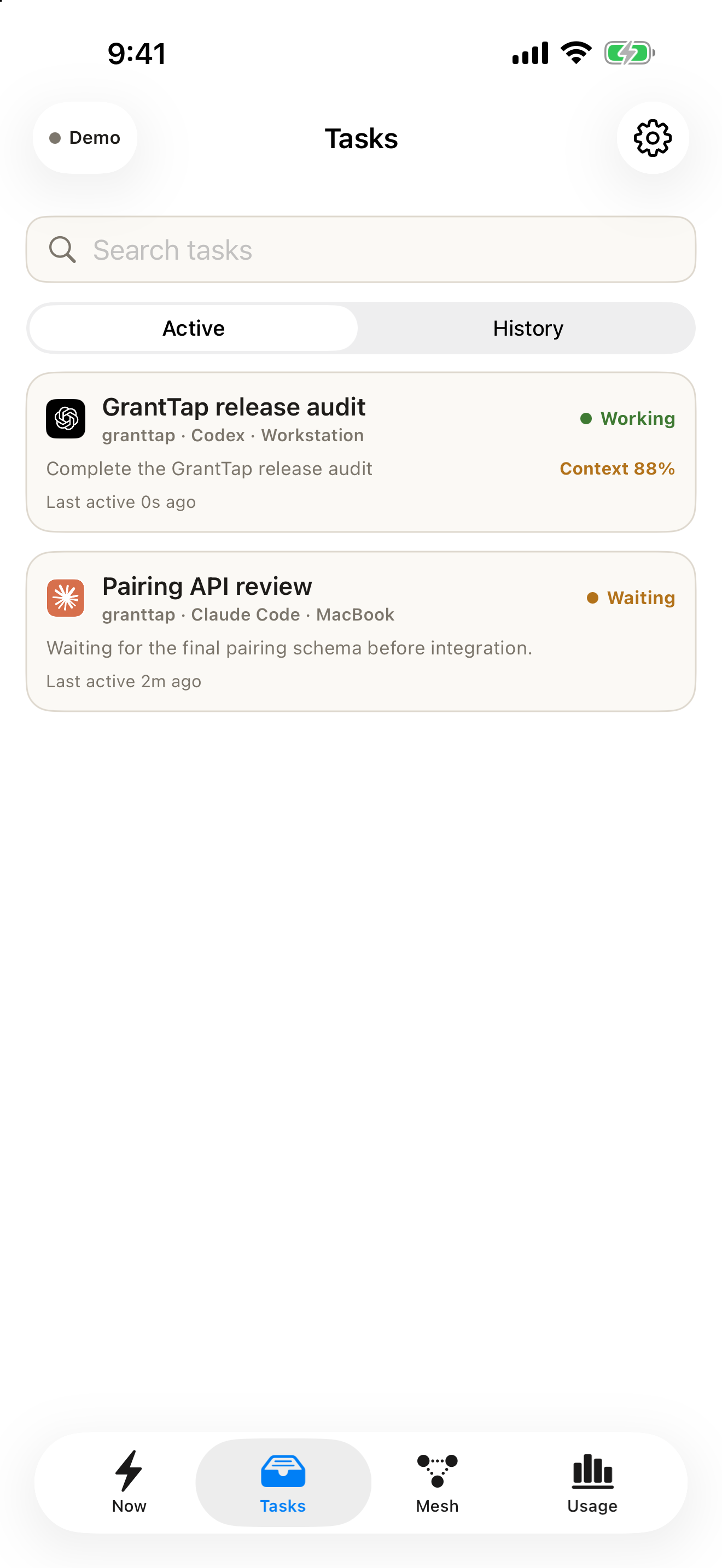
GrantTap's Task view is a control and continuity surface. The sample screenshot here shows the product's interface with deterministic data, not an independently verified result for a real project. To test the route, ask the agent to change one file, run a named test, and report the revision. Compare that report with the checkout yourself. If the agent used a worktree or cloud branch, identify it explicitly before merging. A green task state should summarize observed events, while a passing test requires test output and a successful exit from the actual execution environment.
Moment five: the work changes provider or computer
This is where a single session and a durable Task diverge. A Claude remote session is still a Claude session; a Cursor cloud agent remains within Cursor's workflow; Codex provides native state for Codex work. Each is valuable within its system. If you need to move the same objective to another provider, carry the human goal, repository identity, current revision, decisions, and unresolved risks deliberately. Hidden reasoning and private provider state should not be claimed as transferred. A handoff is an explicit packet of known facts and open questions, not a teleportation of the original mind.
GrantTap models the Task as the stable user-visible unit across supported executions. This makes it possible to keep the objective and decision trail visible while a new execution starts, subject to the supported integration and the destination computer's access. Before accepting a handoff, inspect project linkage, checkout revision, capability policy, and the last confirmed outcome. Mark anything unknown as unknown. If you never use more than one provider, a native app may make this layer unnecessary. If you regularly cross machines or providers, run this exact transition in a test repository and count how much context you must reconstruct. That observed friction, not a marketing chart, is the useful comparison.